10% OF EVERY PURCHASE IS DONATED TO SPECIAL OLYMPICS & SPECIAL NEEDS HOCKEY

AI as Your Brand Assistant (Not Your Replacement) Intelligent Tools for Busy Entrepreneurs
A.I. replacement or assistant?
Tale Tailor
4/22/20263 min read
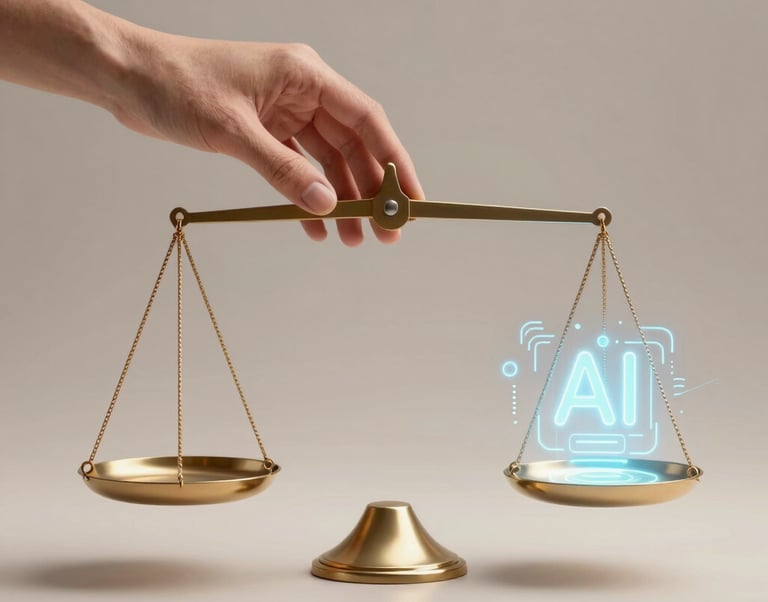

Let's address the elephant in the room: AI is everywhere in 2026, and as a small business owner, you're probably wondering if you should fear it or embrace it.
The answer: Embrace it—but strategically. AI should lighten your load, not replace your humanity.
The Digital Parenting Paradox for Businesses
Just like parents face the digital paradox (need tech but worry about harm), entrepreneurs face the AI paradox: We need tools to survive, but we're terrified of losing our authentic voice.
Good news: AI used intentionally is a game-changer. AI used mindlessly makes you sound like everyone else.
Where AI Actually Helps
1. Content Idea Generation
Instead of: Staring at a blank screen for an hour
Use AI for: Brainstorming 20 caption ideas in 2 minutes
Example prompt: "Give me 10 Instagram caption ideas for a small business selling party planning kits, focused on reducing parental stress."
Then: Pick the ones that resonate and rewrite them in YOUR voice.
2. Admin and Scheduling
Time-sucks AI can handle:
Email inbox management (sorting, prioritizing)
Calendar scheduling (tools like Calendly)
Social media scheduling (Buffer, Later)
Data entry and organization
Result: You save hours weekly on tasks that don't require your creative brain.
3. Customer Service Basics
Use AI for:
FAQ responses
Order status updates
Initial inquiry responses
Keep human for:
Complex questions
Complaints
Anything requiring empathy or judgment
4. Research and Analysis
AI is excellent at:
Competitor research
Trend analysis
Market insights
Data organization
Example: "Analyze current party planning trends for parents of kids ages 4-8" gives you a starting point for product development.
5. Drafting (Not Final) Copy
Use AI to:
Draft product descriptions (then personalize)
Outline blog posts (then write them yourself)
Generate email templates (then add your voice)
Never use AI for: Your final, published voice without heavy editing. It's obvious and people can tell.
Where AI DOESN'T Work
❌ Your brand story - This must be authentically yours
❌ Customer relationships - People buy from people, not bots
❌ Creative vision - AI can assist, but it can't replace your unique perspective
❌ Values and decision-making - AI has no ethics or values
❌ Personal connection - The heart of small business loyalty
How to Use AI Without Losing Your Soul
Rule 1: AI Drafts, You Refine
Never copy-paste AI content directly. Use it as a starting point, then make it sound like you.
Example:
AI draft: "We offer party planning solutions for busy parents."
Your version: "Look, I get it—you're drowning in Pinterest boards and mom guilt. Let's make party planning actually fun again."
See the difference?
Rule 2: Use AI for Tasks, Not Relationships
AI can schedule your social posts. It can't replace you responding to comments authentically.
Rule 3: Keep Human Touchpoints Sacred
Handwritten notes, personal emails, customer check-ins—these should ALWAYS be human.
Rule 4: Use AI to Buy Time for What Matters
The goal: Use AI to free up time so you can focus on the creative, relationship-building, strategic work only you can do.
Practical AI Tools for Small Businesses
Content Creation:
ChatGPT (brainstorming, drafting)
Jasper (marketing copy assistance)
Canva's AI features (design help)
Scheduling & Admin:
Calendly (meeting scheduling)
Zapier (workflow automation)
Notion AI (organization)
Customer Service:
Tidio (chatbot for FAQs)
Help Scout (email management)
Social Media:
Later (scheduling with AI caption suggestions)
Buffer (analytics + scheduling)
Budget: Many have free tiers. Paid plans: $10-50/month
Real-World Examples
"I use AI to generate 20 email subject line options, pick my favorite 3, then tweak them. Saves me 30 minutes per email."
"ChatGPT helps me outline blog posts. I give it the topic, it gives me structure, I write the actual content. My writing time cut in half."
"I use AI to draft product descriptions, then I add stories and personality. The AI handles the boring specs, I handle the soul."
"My chatbot answers basic questions 24/7. I handle the complex stuff. Customers are happier AND I'm not chained to my inbox."
The Balance
Here's the truth: AI is a tool, like a calculator or a dishwasher.
It handles the tedious stuff so you can focus on what makes your brand special—your story, your values, your relationships with customers.
Use it to save time. Not to replace your voice.
The test: After using AI, ask yourself: "Does this still sound like me? Would my customers recognize my voice?" If yes, you're using it right.
Your Action Plan
Identify 3 processes that are time spenders in your business (admin, scheduling, drafting)
Pick ONE AI tool to try (start small)
Set boundaries: What AI can do vs. what you'll always do
Test for 30 days and measure: Did it save time? Did you maintain your voice?
Adjust based on results
AI isn't the enemy. Mindless use of AI is. Use it intentionally, and it becomes your secret weapon.
At Tale Tailor, we use technology to support our mission—creating resources that save parents time—while keeping our voice, values, and human connection at the center of everything we do.
contact us
© 2026. All rights reserved.